CBSE Board Class 10th Result 2026 Declared | DigiLocker Account Activate Now
अगर आप CBSE Board के छात्र हैं, तो यह आपके लिए बेहद महत्वपूर्ण अपडेट है. Central Board of Secondary Education (CBSE) भारत का सबसे बड़ा और प्रतिष्ठित शिक्षा बोर्ड है, जहां से पढ़ाई करने वाले छात्रों को उच्च गुणवत्ता की शिक्षा, राष्ट्रीय स्तर पर मान्यता और आगे की पढ़ाई व करियर में बेहतर अवसर मिलते हैं. CBSE से पास होने वाले छात्रों को देश-विदेश के कॉलेजों और सरकारी नौकरियों में प्राथमिकता मिलती है.
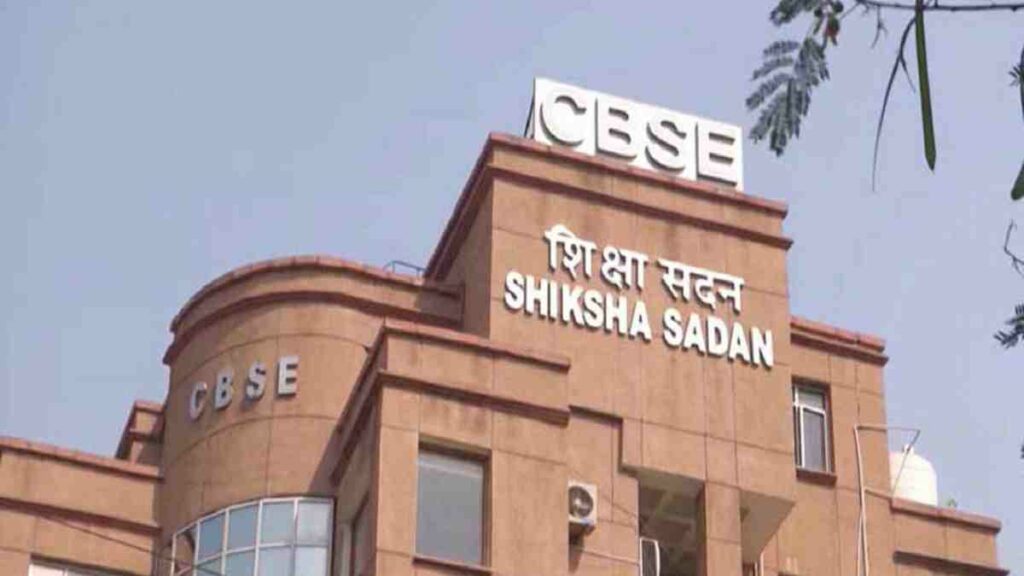
CBSE Board ने Class 10th Result 2026 जारी कर दिया है, जबकि Class 12th Result जल्द जारी होने वाला है. सभी छात्रों को सलाह दी जाती है कि वे अपना DigiLocker Account Activate कर लें, ताकि रिजल्ट जारी होते ही वे अपनी Digital Marksheet और Certificate आसानी से डाउनलोड कर सकें.
CBSE Board Result 2026 Overview
| Organization |
Central Board of Secondary Education (CBSE) |
| Exam Name |
CBSE Board Class 10th & 12th Exam 2026 |
| Category |
Board Result |
| Status |
Class 10th Result Declared |
| Official Website |
cbse.gov.in |
Important Dates
| Event |
Date |
| Class 10th Exam Date |
17/02/2026 to 11/03/2026 |
| Class 12th Exam Date |
17/02/2026 to 10/04/2026 |
| Digilocker Activation Start |
14/04/2026 |
| Class 10th Result Declared |
15/04/2026 |
| Class 12th Result |
April / May 2026 |
Application Fee
| Category |
Fee |
| All Students |
No Fee |
Educational Qualification
| Class |
Qualification Details |
| Class 10th |
Candidate must be registered and appeared in CBSE Board High School Exam 2026 |
| Class 12th |
Candidate must be registered and appeared in CBSE Board Intermediate Exam 2026 |
How to Activate DigiLocker Account (आवेदन प्रक्रिया)
- सबसे पहले DigiLocker के ऑफिशियल लिंक पर जाएं.
- अपनी Class (10th या 12th) का चयन करें.
- अपने स्कूल का Code दर्ज करें (Admit Card में उपलब्ध).
- Board Roll Number भरें.
- School द्वारा दिया गया 6 Digit Security PIN दर्ज करें.
- अपना Mobile Number दर्ज करें और OTP Verify करें.
- इस प्रकार आपका DigiLocker Account Activate हो जाएगा.
How to Check CBSE Result 2026
- CBSE की आधिकारिक वेबसाइट पर जाएं.
- Class 10th / 12th Result लिंक पर क्लिक करें.
- Roll Number दर्ज करें.
- Submit पर क्लिक करते ही आपका Result स्क्रीन पर आ जाएगा.
- Result डाउनलोड कर लें या प्रिंट निकाल लें.
Selection Process (चयन प्रक्रिया)
इस प्रक्रिया में कोई चयन प्रक्रिया नहीं है, क्योंकि यह केवल Board Result Checking से संबंधित है. सभी छात्र अपने रोल नंबर के माध्यम से अपना रिजल्ट देख सकते हैं.
Age Limit (आयु सीमा)
इस प्रक्रिया के लिए कोई आयु सीमा निर्धारित नहीं है. यह केवल CBSE Board के पंजीकृत छात्रों के लिए लागू है.
Number of Posts
| Post Name |
No. of Posts |
| CBSE Board Result 2026 |
Not Applicable |
Important Instructions
- सभी छात्र अपना DigiLocker Account तुरंत सक्रिय करें.
- रिजल्ट जारी होने के बाद मार्कशीट और सर्टिफिकेट ऑनलाइन डाउनलोड कर सकते हैं.
- रोल नंबर अपने पास सुरक्षित रखें.
- ऑफिशियल वेबसाइट या DigiLocker से ही रिजल्ट देखें.
ये हैं इस महीने की अन्य टॉप भर्तियां
|
Note : All the information is collected from newspapers, social sites, google or official websites of the department/organization. Website owner/ author is not responsible for any error or misleading information. It is requested to all users to please cross check all information from your end too before taking any step. Our Team checks all the details at our level but still there are chances of errors or mistakes. Our aim is only to provide job details for general information purposes. While we make efforts to ensure accuracy, we do not guarantee the authenticity of job listings or information provided by employers/ recruiters or any other source.
Readers are encouraged to verify job details independently. Sarkariresultind.Com is not responsible for any transactions, losses, or damages resulting from the use of this websites content. We recommend exercising caution when sharing personal information or making payments. By using Sarkariresultind.Com, you agree to these terms. If you do not agree, please refrain from using our services. We are not liable for external websites linked from our platform. So, please double check any information at your own level before taking any steps or applying for any job listings.
