
If you have opened Instagram Reels or YouTube Shorts lately, you have surely seen Sheru Bhai. A lion-headed boss in a white and gold suit, a heavy gold chain, a slow walk towards the camera and that famous look over the shoulder. This lion-man character is everywhere right now, and everyone wants their own Sheru Bhai AI photo.
The good news? You don’t need any editing app or skill to make one. In this full guide, you will learn Sheru Bhai AI photo kaise banaye step by step, and you will get free, copy-paste AI prompts for the boss entry, supercar look, throne pose, selfie with Sheru Bhai and more. Let’s start.
What Is the Sheru Bhai AI Trend?
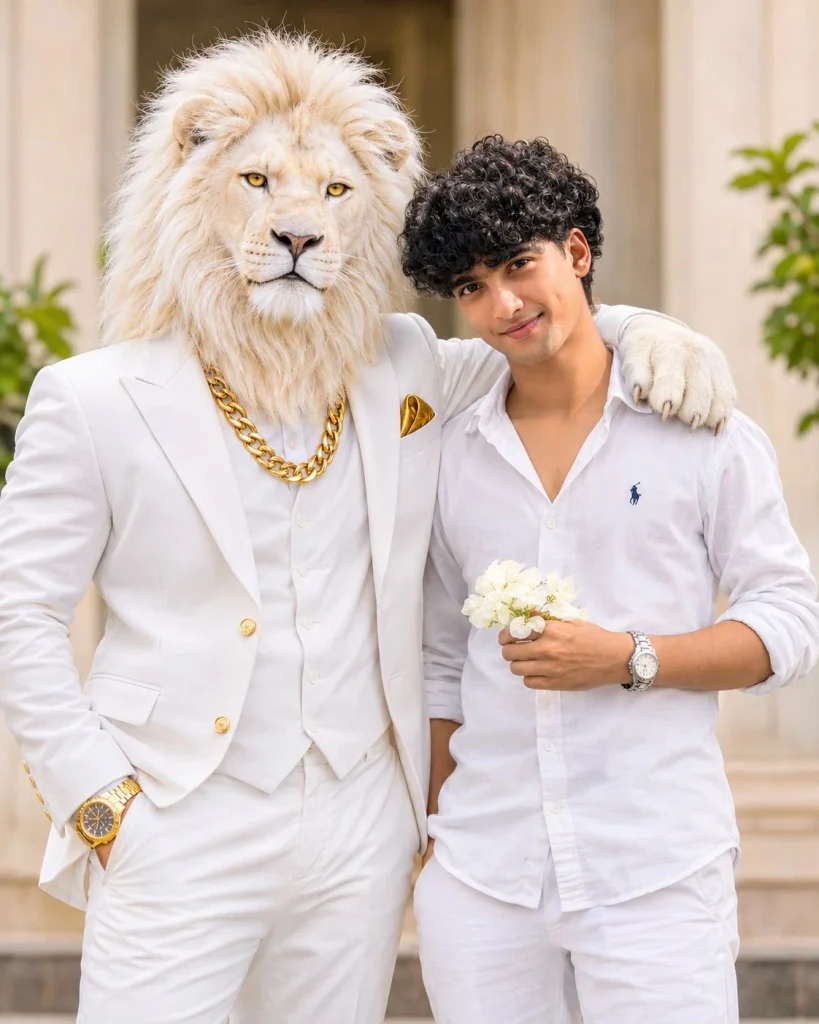
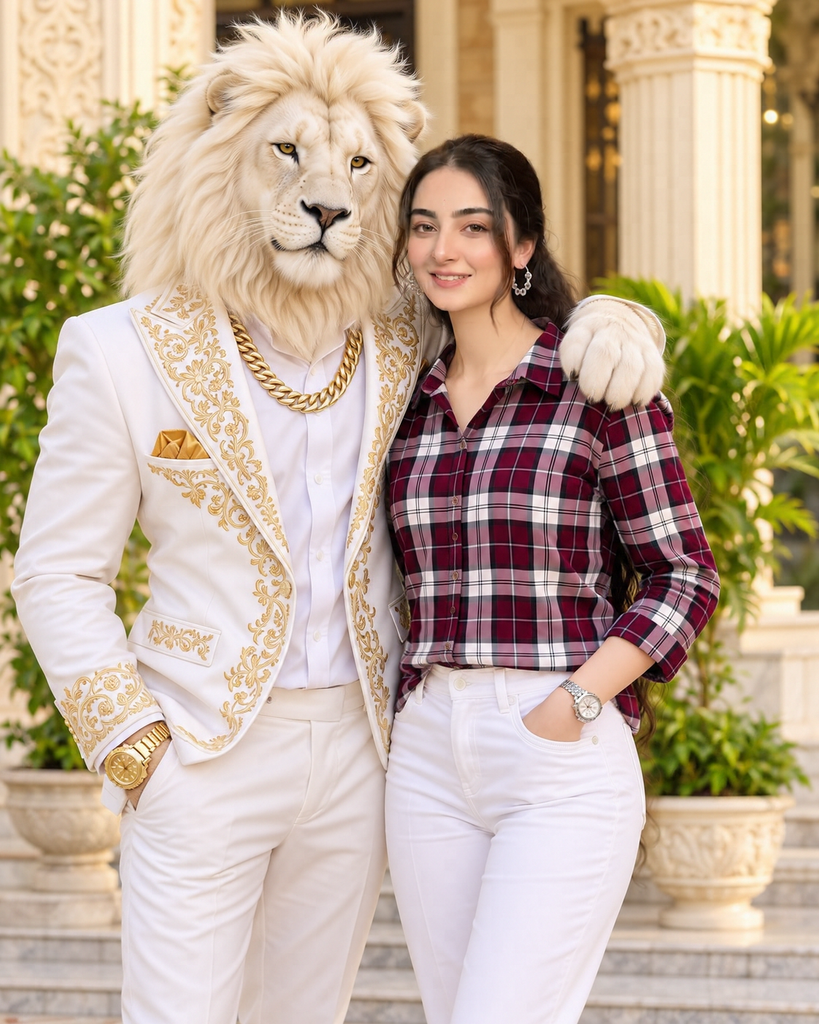
Sheru Bhai is an AI-made character with the head of a white lion and the body of a stylish man. The name is simple: “Sheru” comes from sher, which means lion, and “Bhai” means brother. In short, he is the lion boss.
He usually wears a white or white-gold suit, a thick gold chain and a gold watch. In the viral clips, he arrives in supercars, walks through palace halls, leads a college gang or stands calmly while his rivals step back. His crew is often made of tiger, panther and other animal-headed men. The clips come with Hindi or Urdu dialogues, which makes them feel like mini filmy dramas.
The most famous part of the trend is the entry shot: Sheru Bhai walks towards the camera, turns his head slightly over his shoulder, and gives a slow, powerful stare. Now people are using AI to put themselves into this look, either as Sheru Bhai himself or standing next to him.
Why Is Sheru Bhai Going Viral?
- Pure boss attitude: The slow walk and calm stare give a strong “don” vibe that people love to copy.
- Filmy and funny at the same time: A lion in a suit with Bollywood-style dialogues is dramatic and entertaining.
- Easy to make: With one photo and one prompt, anyone can make their own version in seconds.
- Perfect for Reels: The entry scene fits 9:16 Reels, Shorts and WhatsApp status perfectly.
- Endless ideas: Palace, supercar, college, rain, throne. Every new scene feels fresh.
What You Need Before You Start
- A Google account to use Gemini (or a ChatGPT account if you prefer ChatGPT)
- The Gemini app on your phone, or gemini.google.com in your browser
- One clear full-body or half-body photo of yourself in good light
- For the “selfie with Sheru Bhai” prompt: a clear front-facing photo of your face
- A stable internet connection
Sheru Bhai AI Photo Kaise Banaye: Step-by-Step
- Open Gemini: Open the Gemini app or go to gemini.google.com and sign in with your Gmail ID.
- Upload your photo: Tap the + button and upload a clear photo of yourself. A standing photo works best for the walking and entry prompts.
- Pick a prompt: Scroll down to the prompt section and copy the Sheru Bhai prompt you like.
- Paste and edit: Paste the prompt into the chat box. If it has [Your Name] in brackets, replace it with your name.
- Generate: Send the prompt and wait a few seconds. Your Sheru Bhai photo will be ready.
- Improve it: Not perfect? Reply with a small change like “make the gold chain bigger” or “add more chandeliers”, or tap regenerate.
- Download and share: Save the photo and post it on Instagram, WhatsApp status or Facebook.
Free Sheru Bhai AI Prompts (Copy & Paste)
Here are free Sheru Bhai AI prompts for every popular scene. Each one is ready to copy and paste into Gemini or ChatGPT.
How to Turn Your Photo into a Sheru Bhai Video
The Sheru Bhai trend started with short videos, so turning your photo into a video makes it even more viral. Here’s the simple way:
- First, create your Sheru Bhai photo using any prompt above.
- Open an AI image-to-video tool that you have access to.
- Upload your Sheru Bhai photo and paste the video prompt below.
- Generate the clip, then add a trending Sheru Bhai sound or dialogue in Instagram or CapCut before posting.
Animate this photo. The lion-headed man walks slowly towards the camera with confident steps, his golden mane moving slightly. He stops, turns his head a little over his shoulder and gives a slow, powerful stare into the camera. Slow-motion, cinematic lighting, smooth camera push-in, 9:16.
Tips for the Perfect Sheru Bhai Look
- Use a standing photo: Full-body photos give the best walking and entry shots.
- Keep the outfit details: White-gold suit and a heavy gold chain are the signature Sheru Bhai style, so don’t remove them.
- Always say “realistic lion head”: Without this, AI may give you a cartoon look.
- Choose the right size: 9:16 for Reels and status, 4:5 for Instagram posts, 16:9 for YouTube.
- Try 2 or 3 times: Every result is different, so regenerate a few times and pick the best one.
Common Mistakes to Avoid
- Blurry or dark photos: The AI can’t match your body and pose properly.
- Group photos: Use a photo with only you in it, or the AI may get confused.
- Too many ideas in one prompt: One scene at a time gives cleaner results.
- Forgetting the aspect ratio: Without it, your photo may get cut badly when you post it.
- Using someone else’s photo without asking: Always take permission before editing a friend’s picture.
Frequently Asked Questions
Who is Sheru Bhai?
Sheru Bhai is a viral AI character with a white lion head and a stylish human body. He is shown as a powerful boss in a white-gold suit with a gold chain, mostly in short AI drama videos.
Sheru Bhai AI photo kaise banaye for free?
Open Gemini, upload your photo, paste any Sheru Bhai prompt from this page and send it. Your photo will be ready in a few seconds, and it is free to try.
Can I make a Sheru Bhai photo in ChatGPT?
Yes. All the prompts on this page also work in ChatGPT and most other AI image tools. The style may look slightly different in each tool.
Can I keep my own face in the Sheru Bhai photo?
Yes. Use the “Selfie with Sheru Bhai” prompt. It keeps your face the same and adds Sheru Bhai next to you.
Which photo works best for the Sheru Bhai trend?
A clear, full-body standing photo in daylight works best. Simple clothes and a plain background help the AI understand your pose.
Conclusion
The Sheru Bhai trend is all about boss attitude, filmy style and that slow, powerful entry. Now you know exactly Sheru Bhai AI photo kaise banaye, and you have free prompts for the palace entry, supercar look, golden throne, college gang and more. Pick your favourite scene, create your own Sheru Bhai photo, and share it before the trend gets even bigger.
If this guide helped you, share it with your friends who want to join the Sheru Bhai trend too.